# Media Servers

Media Server information and related Media Server Applications

# About Media Servers

Information regarding media servers.

# Choosing a Media Server

> Choosing to run a a home media server can be a fun and educational hobby while also providing a central source to store, control and serve all your media.

Most people want a media server to consolidate all their media content and access that content from one unified source displayed in an attractive menu that is easy to navigate and use. There are a number of excellent free and open source media servers available that do just that as well as paid, proprietary servers and appliances. It just depends on what you are trying to achieve as an end result that should drive you to one or another.

When selecting which media server software to invest your time (and sometimes $$) you should do so by asking yourself (and answering) the following questions.

- How do you want to access your media? 
    - Do you want to access your media only at home or also away from home?
    - Do you want to share your media with others?
- From what device(s) do you want to access your media? 
    - TV?
    - Projector?
    - Smartphone?
    - Computer?
    - Home audio devices?
- What type of media do you want to serve from your media center? 
    - Video? For example, a movie library, TV show library, personal videos, etc.
    - Audio? For example, a music library or streaming music service
    - Live TV? For example, cable or over-the-air signals
    - Images? For example, Family photos, hobbyist images, etc.
- Do you want to integrate your media server into a Home Theater? 
    - Do you want to automate any processes of your media server? For example, automatically controlling lighting when a movie starts, stops or is paused.
    - Do you want a Cinema-like experience with trailers and/or bumpers before a movie starts?
- What visual or audio requirements will you have for content on your media server? 
    - Any format or resolution preferences for your content? such as: 
        - SD, HD or 4K for video content
        - MP3 or FLAC for audio content
- How comfortable are you with Computing? 
    - Do you like to be "hands on" or do you "just want it to work"?

The answers to these questions will help you decide which media server type, software and hardware will best suit your needs.

# The Most Popular Media Servers

### The Most Popular Open-Source Media Servers  


The most popular open-source media servers are:

- [**Plex**](https://www.plex.tv/)
- [**Jellyfin**](https://jellyfin.org/)
- [**Kodi**](https://kodi.tv/)
- [**Emby**](https://emby.media/)
- [**MediaPortal**](https://www.team-mediaportal.com/)
- [**Universal Media Server**](https://www.universalmediaserver.com/)
- [**OSMC**](https://osmc.tv/)

### A Feature Comparison

The media server features we will compare are:

- **Server Platforms** - The device type(s) where you can install the media server software. The server platform can also be its own client as with a Home Theater server. The server platforms are *different* than the client platforms.
- **Client Platforms** - The device(s) that can access your media server remotely. In some cases, there is no separate client application. The server software itself must be installed on any device you wish to access your media library. In this case the client platform will be "self".
- **Hardware Transcoding** - This indicates if the media server supports hardware transcoding. Transcoding is a process media servers use to convert a video or audio file into a different format so it can be accessible to a wide range of devices. Software transcoding is CPU intensive so to offload the transcoding process to a dedicated piece of hardware with its own CPU is preferable for best performance.
- **Local Access without Internet** - Some media server software requires you to setup an account with the developer. In some cases, you have to sign-in using your account to access your media server libraries even if the server is local.
- **Music / Sync**  - This indicates if the server supports a music library and/or the ability to download or sync content.
- **Photo / eBooks** - This indicates if the server supports photo libraries and/or an electronic book library.
- **Live TV / DVR** - This indicates if the server integrates Live TV and/or has DVR functionality. Usually via an over-the-air (OTA) or cable peripheral tuner card for the media server or a network OTA/cable appliance such as a [**HD Homerun**](https://www.silicondust.com/).

<table border="1" id="bkmrk-media-server-server-" style="border-collapse: collapse; width: 100.247%;"><colgroup><col style="width: 11.1212%;"></col><col style="width: 12.8496%;"></col><col style="width: 10.752%;"></col><col style="width: 13.2218%;"></col><col style="width: 10.6269%;"></col><col style="width: 10.2562%;"></col><col style="width: 9.63836%;"></col><col style="width: 8.2791%;"></col><col style="width: 13.3454%;"></col></colgroup><tbody><tr style="background-color: rgb(194, 224, 244);"><td class="align-center">**Media Server**  
</td><td class="align-center">**Server Platforms**  
</td><td class="align-center">**Client Platforms**  
</td><td class="align-center">**Hardware Transcoding**  
</td><td class="align-center">**Local Access without Internet**  
</td><td class="align-center">**Music / Sync**

</td><td class="align-center">**Photo / eBooks**

</td><td class="align-center">**Live TV / DVR**  
</td><td class="align-center">**Subscription**

</td></tr><tr><td class="align-center">Plex  
</td><td class="align-center">Linux, Windows, Docker, NAS, Nvidia Shield,

Western Digital My Passport Wireless Pro,

NETGEAR X10 router

</td><td class="align-center">Android, IOS, Web, Roku, Amazon Fire TV, Apple TV,

Android TV,

Chromecast,LG,

Samsung,

VIDAA,

Vizio,

and Hisense

Smart TVs

</td><td class="align-center">Yes<sup>1</sup>  
</td><td class="align-center">No<sup>2</sup>   
</td><td class="align-center">Yes / Yes  
</td><td class="align-center">Yes / No  
</td><td class="align-center">Yes / Yes<sup>1</sup>

</td><td class="align-center">Free / Paid

</td></tr><tr><td class="align-center">JellyFin  
</td><td class="align-center">Linux, Windows, MacOS, Docker  
</td><td class="align-center">Android, IOS, Android TV, Roku, Apple TV, WebOS (LG Smart TVs)  
</td><td class="align-center">Yes  
</td><td class="align-center">Yes / Yes  
</td><td class="align-center">Yes  
</td><td class="align-center">Free  
</td></tr><tr><td class="align-center">Kodi  
</td><td class="align-center">Windows, macOS, Linux, Android, iOS, Raspberry Pi</td><td class="align-center">self  
</td><td class="align-center">No  
</td><td class="align-center">Yes  
</td><td class="align-center">Yes / No  
</td><td class="align-center">Yes / Yes<sup>3</sup>  
</td><td class="align-center">Yes / Yes  
</td><td class="align-center">Free  
</td></tr><tr><td class="align-center">Emby  
</td><td class="align-center">Windows, macOS, Linux, Docker, NAS</td><td class="align-center">PC or mobile browser has full playback capability.

---

The following clients are supported with a paid subscription:Windows, Linux, MacOS, IOS, Android, Fire TV, Android TV, Roku, Apple TV, LG and Samsung Smart TVs, XBox, PS4

</td><td class="align-center">Yes<sup>1</sup>  
</td><td class="align-center">Yes  
</td><td class="align-center">Yes / Yes<sup>1</sup>  
</td><td class="align-center">Yes / Yes  
</td><td class="align-center">Yes<sup>1</sup> / Yes<sup>1</sup>  
</td><td class="align-center">Free / Paid  
</td></tr><tr><td class="align-center">Media Portal  
</td><td class="align-center">Windows  
</td><td class="align-center"> Self, Android, IOS  
</td><td class="align-center">Yes<sup>3</sup>  
</td><td class="align-center">Yes  
</td><td class="align-center">Yes / No  
</td><td class="align-center">Yes / Yes  
</td><td class="align-center">Free  
</td></tr><tr><td class="align-center">Universal Media Server  
</td><td class="align-center" style="vertical-align: top; width: 104.2pt;">Windows, macOS, Linux,

Docker

</td><td class="align-center" style="vertical-align: top; width: 57.5pt;">It is able to stream videos, audio and images to any DLNA-capable device

</td><td class="align-center">Yes  
</td><td class="align-center">Yes / No  
</td><td class="align-center">No / No  
</td><td class="align-center">Free  
</td></tr><tr><td class="align-center">OSMC  
</td><td class="align-center">Windows, MacOS, Linux, Raspberry Pi, and Vero (OSMC's flagship appliance)

OSMC did support Apple TV but it will no longer received any updates as it has been deprecated.

</td><td class="align-center">self  
</td><td class="align-center">No  
</td><td class="align-center">Yes  
</td><td class="align-center">Yes / No  
</td><td class="align-center">No / No  
</td><td class="align-center">Free  
</td></tr></tbody></table>

<sup>1 </sup>A paid subscription is required for this feature

<sup>2 </sup>Local access to your Plex server without Internet is possible by activating the internal DLNA server. This must be done while you have Internet access as it requires you to sign-in to your account to change the configuration. You won't be accessing your Plex server via the standard UI however. You will need to have a DLNA client to do that. Roku has a DLNA app in its app store and there are several available for the PC, such as VLC.

<sup>3 </sup>Supports this feature if using an add-on or plug-in

# Complimentary Applications for Media Servers

### Complimentary Applications for Media Servers

There are number of complimentary software packages, applications and tools available for various media servers. Some are designed for content management such as transcoding digital video formats, naming content, managing subtitles and automating content acquisition while others provide statistical information, just to name a few.

You will inevitably find you have a need for some of these applications and tools. I use a number of them and those I use are detailed in the [Content Management](https://bookstack.timshome.net/books/media-servers/chapter/content-management) book on this site.

# Content Management

Various software applications I use to manage or automate media server content

# Tautulli

![Screenshot from 2023-03-29 22-57-35.png](https://bookstack.timshome.net/uploads/images/gallery/2023-03/scaled-1680-/WwAFxbEUMkkF6v7l-screenshot-from-2023-03-29-22-57-35.png)

[**Tautulli** ](https://tautulli.com/)is a 3rd party application that you can run alongside your Plex Media Server to monitor activity and track various statistics. Most importantly, these statistics include <span class="text-gamboge">what</span> has been watched, <span class="text-gamboge">who</span> watched it, <span class="text-gamboge">when</span> and <span class="text-gamboge">where</span> they watched it, and <span class="text-gamboge">how</span> it was watched. All statistics are presented in a nice and clean interface with many tables and graphs.

![Screenshot from 2023-03-29 22-59-09.png](https://bookstack.timshome.net/uploads/images/gallery/2023-03/scaled-1680-/ClSV3RJ6aERSUpBE-screenshot-from-2023-03-29-22-59-09.png)

---

# Sonarr

![th-3083518630.jpg](https://bookstack.timshome.net/uploads/images/gallery/2023-03/scaled-1680-/58P16sMdfTVpEecp-th-3083518630.jpg) ![Screenshot from 2023-03-30 02-42-41.png](https://bookstack.timshome.net/uploads/images/gallery/2023-03/scaled-1680-/juH0bmAjfrlK0mEi-screenshot-from-2023-03-30-02-42-41.png)

[**Sonarr**](https://sonarr.tv/) is a PVR for Usenet and BitTorrent users. It can monitor multiple RSS feeds for new episodes of your favorite shows and will grab, sort and rename them. It can also be configured to automatically upgrade the quality of files already downloaded when a better quality format becomes available.

![Screenshot from 2023-03-30 03-36-49.png](https://bookstack.timshome.net/uploads/images/gallery/2023-03/scaled-1680-/kgzfI85fI1wUU3TL-screenshot-from-2023-03-30-03-36-49.png)

---

#### Installation

The Sonarr team does not offer an official Docker image. However, a number of third parties have created and maintain their own. These instructions provide generic guidance that should apply to any Sonarr Docker image.

> I use a docker image from [**linuxserver.io**](https://fleet.linuxserver.io/image?name=linuxserver/sonarr) to install Sonarr.

If you prefer to install Sonarr via another method go to [**Sonarr's official downloads page**](https://sonarr.tv/#download).

#### Running Sonarr as a container

Basic examples for getting this image running as a container

##### Docker Compose

```yaml
---
version: "2"
services:
  sonarr:
    image: linuxserver/sonarr:3.0.10
    container_name: sonarr
    restart: unless-stopped
    environment:
      - TZ=Europe/London # Specify a timezone to use
      - PUID=1000 # User ID to run as
      - PGID=1000 # Group ID to run as
    volumes:
      - /host/path/to/data:/data # Location of all your media
      - /host/path/to/config:/config # Contains all relevant configuration files.
    ports:
      - 8989:8989/tcp # Web UI

```

##### CLI

```python
docker create \
  --name=sonarr \
  -e TZ=Europe/London `# Specify a timezone to use` \
  -e PUID=1000 `# User ID to run as` \
  -e PGID=1000 `# Group ID to run as` \
  -v /host/path/to/data:/data `# Location of all your media` \
  -v /host/path/to/config:/config `# Contains all relevant configuration files.` \
  -p 8989:8989/tcp `# Web UI` \
  --restart unless-stopped \
  linuxserver/sonarr:3.0.10
```

---

#### Avoid common pitfalls

##### Volumes and Paths

There are two common problems with Docker volumes: Paths that differ between the Sonarr and download client container and paths that prevent fast moves and hard links.  
The first is a problem because the download client will report a download's path as `/torrents/My.Show.S01E01/`, but in the Sonarr container that might be at `/downloads/My.Show.S01E01/`. The second is a performance issue and causes problems for seeding torrents. Both problems can be solved with well planned, consistent paths.

Most Docker images suggest paths like `/tv` and `/downloads`. This causes slow moves and doesn't allow hard links because they are considered two different file systems *inside* the container. Some also recommend paths for the download client container that are different from the Sonarr container, like `/torrents`.  
The best solution is to use a single, common volume *inside* the containers, such as `/data`. Your Series would be in `/data/tv`, torrents in `/data/downloads/torrents` and/or usenet downloads in `/data/downloads/usenet`.

If this advice is not followed, you may have to configure a Remote Path Mapping in the Sonarr web UI (Settings › Download Clients).

##### Ownership and Permissions

Permissions and ownership of files is one of the most common problems for Sonarr users, both inside and outside Docker. Most images have environment variables that can be used to override the default user, group and umask, you should decide this before setting up all of your containers. The recommendation is to use a common group for all related containers so that each container can use the shared group permissions to read and write files on the mounted volumes.  
Keep in mind that Sonarr will need read and write to the download folders as well as the final folders.

*For a more detailed explanation of these issues, see [The Best Docker Setup and Docker Guide](https://wiki.servarr.com/docker-guide) wiki article.*

#### Install Sonarr

To install and use these Docker images, you'll need to keep the above in mind while following their documentation. There are many ways to manage Docker images and containers too, so installation and maintenance of them will depend on the route you choose.

- ##### [ghcr.io/hotio/sonarr:release](https://ghcr.io/hotio/sonarr:latest)
    
    hotio doesn't specify any default volumes, besides `/config`. Images are automatically updated multiple times per hour if upstream changes are found. Read the [instructions](https://hotio.dev/containers/sonarr) on how to install the image.
- ##### [ghcr.io/linuxserver/sonarr:latest](https://ghcr.io/linuxserver/sonarr:latest)
    
    **[linuxserver.io](https://www.linuxserver.io)** is one of the most prolific and popular Docker image maintainers. They also maintain images for most of the popular download clients as well. LinuxServer specifies a couple of optional default volumes such as `/tv` and `/downloads`. The default volumes are not optimal nor recommended. Our recommendation is to use a single volume for the data, as mentioned above.

# Radarr

![th-3793528904.jpeg](https://bookstack.timshome.net/uploads/images/gallery/2023-03/scaled-1680-/vTX8RetGwNrIZSm1-th-3793528904.jpeg)

[**Radarr**](https://radarr.video/#home) is a movie collection manager for Usenet and BitTorrent users. It can monitor multiple RSS feeds for new movies and will interface with clients and indexers to grab, sort, and rename them. It can also be configured to automatically upgrade the quality of existing files in the library when a better quality format becomes available. Note that only one type of a given movie is supported. If you want both an 4k version and 1080p version of a given movie you will need multiple instances.

![Screenshot from 2023-03-30 03-31-20.png](https://bookstack.timshome.net/uploads/images/gallery/2023-03/scaled-1680-/uaDBlxJtloyxOdHE-screenshot-from-2023-03-30-03-31-20.png)

---

#### Installation

The Radarr team does not offer an official Docker image. However, a number of third parties have created and maintain their own. These instructions provide generic guidance that should apply to any Radarr Docker image.

> I use a docker image from [**linuxserver.io**](https://fleet.linuxserver.io/image?name=linuxserver/radarr) to install Radarr.

If you prefer to install Radarr via another method go to [Radarr's official downloads page](https://radarr.video/#download).

#### Running Radarr as a container

Basic examples for getting this image running as a container

##### Docker Compose

```yaml
---
version: "2"
services:
  radarr:
    image: linuxserver/radarr:4.3.2
    container_name: radarr
    restart: unless-stopped
    environment:
      - UMASK_SET=022 # control permissions of files and directories created by Radarr
      - TZ=Europe/London # Specify a timezone to use EG Europe/London, this is required for Radarr
      - PUID=1000 # for UserID
      - PGID=1000 # for GroupID
    volumes:
      - /host/path/to/movies:/movies # Location of Movie library on disk (See note in Application setup)
      - /host/path/to/downloads:/downloads # Location of download managers output directory (See note in Application setup)
      - /host/path/to/config:/config # Database and Radarr configs
    ports:
      - 7878:7878/tcp # The port for the Radarr webinterface

```

##### CLI

```python
docker create \
  --name=radarr \
  -e UMASK_SET=022 `# control permissions of files and directories created by Radarr` \
  -e TZ=Europe/London `# Specify a timezone to use EG Europe/London, this is required for Radarr` \
  -e PUID=1000 `# for UserID` \
  -e PGID=1000 `# for GroupID` \
  -v /host/path/to/movies:/movies `# Location of Movie library on disk (See note in Application setup)` \
  -v /host/path/to/downloads:/downloads `# Location of download managers output directory (See note in Application setup)` \
  -v /host/path/to/config:/config `# Database and Radarr configs` \
  -p 7878:7878/tcp `# The port for the Radarr webinterface` \
  --restart unless-stopped \
  linuxserver/radarr:4.3.2
```

---

#### Avoid common pitfalls

##### Volumes and Paths

There are two common problems with Docker volumes: Paths that differ between the Radarr and download client container and paths that prevent fast moves and hard links.  
The first is a problem because the download client will report a download's path as `/torrents/My.Movie.2018/`, but in the Radarr container that might be at `/downloads/My.Movie.2018/`. The second is a performance issue and causes problems for seeding torrents. Both problems can be solved with well planned, consistent paths.

Most Docker images suggest paths like `/movies` and `/downloads`. This causes slow moves and doesn't allow hard links because they are considered two different file systems *inside* the container. Some also recommend paths for the download client container that are different from the Radarr container, like `/torrents`.  
The best solution is to use a single, common volume *inside* the containers, such as `/data`. Your Movies would be in `/data/Movies`, torrents in `/data/downloads/torrents` and/or usenet downloads in `/data/downloads/usenet`.

If this advice is not followed, you may have to configure a Remote Path Mapping in the Radarr web UI (Settings › Download Clients).

##### Ownership and Permissions

Permissions and ownership of files is one of the most common problems for Radarr users, both inside and outside Docker. Most images have environment variables that can be used to override the default user, group and umask, you should decide this before setting up all of your containers. The recommendation is to use a common group for all related containers so that each container can use the shared group permissions to read and write files on the mounted volumes.  
Keep in mind that Radarr will need read and write to the download folders as well as the final folders.

#### Install Radarr

To install and use these Docker images, you'll need to keep the above in mind while following their documentation. There are many ways to manage Docker images and containers too, so installation and maintenance of them will depend on the route you choose.

- ##### [hotio/radarr:release](https://hotio.dev/containers/radarr/)
    
    hotio doesn't specify any default volumes, besides `/config`. Images are automatically updated multiple times in an hour if upstream changes are found. Hotio also builds our Pull Requests which may be useful for testing. Read the [instructions](https://hotio.dev/containers/radarr) on how to install the image.
- ##### [lscr.io/linuxserver/radarr:latest](https://docs.linuxserver.io/images/docker-radarr)
    
    [**linuxserver.io**](https://docs.linuxserver.io/images/docker-radarr) is one of the most prolific and popular Docker image maintainers. They also maintain images for most of the popular download clients as well. LinuxServer specifies a couple of optional default volumes such as `/movies` and `/downloads`. The default volumes are not optimal nor recommended. Our recommendation is to use a single volume for the data, as mentioned above.

# Prowlarr

![th-1234011516.jpg](https://bookstack.timshome.net/uploads/images/gallery/2023-03/scaled-1680-/DUzMzPL9uITBpR0G-th-1234011516.jpg)

[**Prowlarr**](https://prowlarr.com/) is an indexer manager/proxy built on the popular \*arr .net/reactjs base stack to integrate with your various PVR apps. Prowlarr supports management of both Torrent Trackers and Usenet Indexers. It integrates seamlessly with Lidarr, Mylar3, Radarr, Readarr, and Sonarr offering complete management of your indexers with no per app Indexer setup required.

[![Screenshot from 2023-03-30 03-40-28.png](https://bookstack.timshome.net/uploads/images/gallery/2023-03/scaled-1680-/Mrmgs8bTk0ch01L5-screenshot-from-2023-03-30-03-40-28.png)](https://bookstack.timshome.net/uploads/images/gallery/2023-03/Mrmgs8bTk0ch01L5-screenshot-from-2023-03-30-03-40-28.png)

---

# Lidarr

![th-1405150132.jpg](https://bookstack.timshome.net/uploads/images/gallery/2023-03/scaled-1680-/NbDhJds3yrk6PrU6-th-1405150132.jpg)

### Lidarr

[**Lidarr**](https://lidarr.audio/) is a music collection manager for Usenet and BitTorrent users. It can monitor multiple RSS feeds for new albums from your favorite artists and will interface with clients and indexers to grab, sort, and rename them. It can also be configured to automatically upgrade the quality of existing files in the library when a better quality format becomes available.

[![lidarr_715109_full.jpeg](https://bookstack.timshome.net/uploads/images/gallery/2023-03/scaled-1680-/qu8zLIokUz6JVCMu-lidarr-715109-full.jpeg)](https://bookstack.timshome.net/uploads/images/gallery/2023-03/qu8zLIokUz6JVCMu-lidarr-715109-full.jpeg)

---

#### Installation

The Lidarr team does not offer an official Docker image. However, a number of third parties have created and maintain their own. These instructions provide generic guidance that should apply to any Lidarr Docker image.

> I use a docker image from [**linuxserver.io**](https://fleet.linuxserver.io/image?name=linuxserver/radarr) to install Lidarr.

If you prefer to install Lidarr via another method go to **[Lidarr's official downloads page](https://lidarr.audio/#download)**.

#### Running Lidarr as a container

Basic examples for getting this image running as a container

##### Docker Compose

```yaml
---
version: "2"
services:
  lidarr:
    image: linuxserver/lidarr:1.0.2
    container_name: lidarr
    restart: no

```

##### CLI

```
docker create \
  --name=lidarr \  --restart no \
  linuxserver/lidarr:1.0.2
```

#### Avoid common pitfalls

##### Volumes and Paths

There are two common problems with Docker volumes: Paths that differ between the Lidarr and download client container and paths that prevent fast moves and hard links.  
The first is a problem because the download client will report a download's path as `/torrents/My.Music.2018/`, but in the Lidarr container that might be at `/downloads/My.Music.2018/`. The second is a performance issue and causes problems for seeding torrents. Both problems can be solved with well planned, consistent paths.

Most Docker images suggest paths like `/musics` and `/downloads`. This causes slow moves and doesn't allow hard links because they are considered two different file systems *inside* the container. Some also recommend paths for the download client container that are different from the Lidarr container, like `/torrents`.  
The best solution is to use a single, common volume *inside* the containers, such as `/data`. Your Musics would be in `/data/Musics`, torrents in `/data/downloads/torrents` and/or usenet downloads in `/data/downloads/usenet`.

If this advice is not followed, you may have to configure a Remote Path Mapping in the Lidarr web UI (Settings › Download Clients).

##### Ownership and Permissions

Permissions and ownership of files is one of the most common problems for Lidarr users, both inside and outside Docker. Most images have environment variables that can be used to override the default user, group and umask, you should decide this before setting up all of your containers. The recommendation is to use a common group for all related containers so that each container can use the shared group permissions to read and write files on the mounted volumes.  
Keep in mind that Lidarr will need read and write to the download folders as well as the final folders.

#####  Install Lidarr

To install and use these Docker images, you'll need to keep the above in mind while following their documentation. There are many ways to manage Docker images and containers too, so installation and maintenance of them will depend on the route you choose.

- ##### [hotio/lidarr:release](https://hotio.dev/containers/lidarr/)
    
    hotio doesn't specify any default volumes, besides `/config`. Images are automatically updated multiple times in an hour if upstream changes are found. Hotio also builds our Pull Requests which may be useful for testing. Read the [instructions](https://hotio.dev/containers/lidarr) on how to install the image.
- ##### [lscr.io/linuxserver/lidarr:latest](https://docs.linuxserver.io/images/docker-lidarr)
    
    **[linuxserver.io](https://docs.linuxserver.io/images/docker-lidarr)** is one of the most prolific and popular Docker image maintainers. They also maintain images for most of the popular download clients as well. LinuxServer specifies a couple of optional default volumes such as `/musics` and `/downloads`. The default volumes are not optimal nor recommended. Our recommendation is to use a single volume for the data, as mentioned above.

# Overseerr

![Screenshot from 2023-03-30 04-04-17.png](https://bookstack.timshome.net/uploads/images/gallery/2023-03/scaled-1680-/hdw9NL5eBqhmKFoD-screenshot-from-2023-03-30-04-04-17.png)

**Overseerr** is a free and open source software application for managing requests for your media library. It integrates with your existing services, such as **[Sonarr](https://bookstack.timshome.net/books/media-servers/page/sonarr)**, **[Radarr](https://bookstack.timshome.net/books/media-servers/page/radarr)**, and **[Plex.](https://bookstack.timshome.net/books/media-servers/page/plex)**

It provides your users with a way to make requests for your media server and automatically (or with your approval) sends the request to Sonarr or Radarr.

**![preview.jpg](https://bookstack.timshome.net/uploads/images/gallery/2023-03/scaled-1680-/drBEToFIZCTomNCj-preview.jpg)**

---

#### Installation

You can install Overseerr on various platforms. I recommend the docker container for installation. If you need another installation method they can be found here:

[**Overseer Installations**](https://docs.overseerr.dev/getting-started/installation)

##### Docker Compose

```yaml
---
version: '3'

services:
  overseerr:
    image: sctx/overseerr:latest
    container_name: overseerr
    environment:
      - LOG_LEVEL=debug
      - TZ=Asia/Tokyo
      - PORT=5055 #optional
    ports:
      - 5055:5055
    volumes:
      - /path/to/appdata/config:/app/config
    restart: unless-stopped
```

<div class="css-175oi2r" data-slate-fragment="JTdCJTIyb2JqZWN0JTIyJTNBJTIyZG9jdW1lbnQlMjIlMkMlMjJkYXRhJTIyJTNBJTdCJTdEJTJDJTIybm9kZXMlMjIlM0ElNUIlN0IlMjJvYmplY3QlMjIlM0ElMjJibG9jayUyMiUyQyUyMnR5cGUlMjIlM0ElMjJwYXJhZ3JhcGglMjIlMkMlMjJpc1ZvaWQlMjIlM0FmYWxzZSUyQyUyMmRhdGElMjIlM0ElN0IlN0QlMkMlMjJub2RlcyUyMiUzQSU1QiU3QiUyMm9iamVjdCUyMiUzQSUyMnRleHQlMjIlMkMlMjJsZWF2ZXMlMjIlM0ElNUIlN0IlMjJvYmplY3QlMjIlM0ElMjJsZWFmJTIyJTJDJTIydGV4dCUyMiUzQSUyMiUyMiUyQyUyMm1hcmtzJTIyJTNBJTVCJTVEJTJDJTIyc2VsZWN0aW9ucyUyMiUzQSU1QiU1RCU3RCU1RCUyQyUyMmtleSUyMiUzQSUyMmI1MmVhNDQwNWRlYTQwNjdiYTQ4ZDY1YTJiZDg5ZGVkJTIyJTdEJTVEJTJDJTIya2V5JTIyJTNBJTIyNTU1N2Y5ZTBhNDFhNDI5NGEwYzVhZDE5YzQyZDI1M2IlMjIlN0QlNUQlMkMlMjJrZXklMjIlM0ElMjI0MjE3Zjg0MTQ3YWE0YzZjYmU5ZTEyMGVkZDBmZmE2ZiUyMiU3RA==" id="bkmrk-be-sure-to-replace%C2%A0%2F"><div class="css-175oi2r"><div class="r-1oszu61 r-1xc7w19 r-1phboty r-1yadl64 r-deolkf r-6koalj r-1mlwlqe r-eqz5dr r-1q142lx r-crgep1 r-ifefl9 r-bcqeeo r-t60dpp r-bnwqim r-417010 r-1yzf0co r-95jzfe r-iphfwy" data-key="02ca30c4fcf248f883fdba7ef425023f"><div class="r-1oszu61 r-1xc7w19 r-1phboty r-1yadl64 r-deolkf r-6koalj r-eqz5dr r-crgep1 r-ifefl9 r-bcqeeo r-t60dpp r-bnwqim r-417010 r-1ro0kt6 r-16y2uox r-1wbh5a2" data-block-content="02ca30c4fcf248f883fdba7ef425023f">  
</div></div></div></div><p class="callout warning">Be sure to replace **/path/to/appdata/config** in the examples with a valid host directory path. If this volume mount is not configured correctly, your Overseerr settings/data will not be persisted when the container is recreated (e.g., when updating the image or rebooting your machine).</p>

<p class="callout warning"><span data-key="3f836f70fa90402aac7a1a09531af797" data-slate-fragment="JTdCJTIyb2JqZWN0JTIyJTNBJTIyZG9jdW1lbnQlMjIlMkMlMjJkYXRhJTIyJTNBJTdCJTdEJTJDJTIybm9kZXMlMjIlM0ElNUIlN0IlMjJvYmplY3QlMjIlM0ElMjJibG9jayUyMiUyQyUyMnR5cGUlMjIlM0ElMjJwYXJhZ3JhcGglMjIlMkMlMjJpc1ZvaWQlMjIlM0FmYWxzZSUyQyUyMmRhdGElMjIlM0ElN0IlN0QlMkMlMjJub2RlcyUyMiUzQSU1QiU3QiUyMm9iamVjdCUyMiUzQSUyMnRleHQlMjIlMkMlMjJsZWF2ZXMlMjIlM0ElNUIlN0IlMjJvYmplY3QlMjIlM0ElMjJsZWFmJTIyJTJDJTIydGV4dCUyMiUzQSUyMiUyMiUyQyUyMm1hcmtzJTIyJTNBJTVCJTVEJTJDJTIyc2VsZWN0aW9ucyUyMiUzQSU1QiU1RCU3RCU1RCUyQyUyMmtleSUyMiUzQSUyMjI3MmFiY2YzZjE3MTRhYzZiZTViMWVmZTBkNDE2NzQwJTIyJTdEJTVEJTJDJTIya2V5JTIyJTNBJTIyMzEzNTRjNmE4ODk5NDIzNzk0ZjYzZmMzMTE5ZmI1MWUlMjIlN0QlNUQlMkMlMjJrZXklMjIlM0ElMjIzNjg0MTg0MTJmNzA0ZGNlYjBiMTJmYjMyY2M4MWRkMSUyMiU3RA=="><span data-offset-key="3f836f70fa90402aac7a1a09531af797:0">The </span>`TZ`<span data-offset-key="3f836f70fa90402aac7a1a09531af797:2"> environment variable value should also be set to the [**TZ database name**](https://en.wikipedia.org/wiki/List_of_tz_database_time_zones) of your timezone!  
</span></span></p>

##### CLI

```python
docker run -d \
  --name overseerr \
  -e LOG_LEVEL=debug \
  -e TZ=Asia/Tokyo \
  -e PORT=5055 `#optional` \
  -p 5055:5055 \
  -v /path/to/appdata/config:/app/config \
  --restart unless-stopped \
  sctx/overseerr
```

<span data-offset-key="8ba81b764adf4b1594d5fe51e1ccb462:0">To run the container as a specific user/group, you may optionally add </span>`--user=[ user | user:group | uid | uid:gid | user:gid | uid:group ]`<span data-offset-key="8ba81b764adf4b1594d5fe51e1ccb462:2" data-slate-fragment="JTdCJTIyb2JqZWN0JTIyJTNBJTIyZG9jdW1lbnQlMjIlMkMlMjJkYXRhJTIyJTNBJTdCJTdEJTJDJTIybm9kZXMlMjIlM0ElNUIlN0IlMjJvYmplY3QlMjIlM0ElMjJibG9jayUyMiUyQyUyMnR5cGUlMjIlM0ElMjJwYXJhZ3JhcGglMjIlMkMlMjJpc1ZvaWQlMjIlM0FmYWxzZSUyQyUyMmRhdGElMjIlM0ElN0IlN0QlMkMlMjJub2RlcyUyMiUzQSU1QiU3QiUyMm9iamVjdCUyMiUzQSUyMnRleHQlMjIlMkMlMjJsZWF2ZXMlMjIlM0ElNUIlN0IlMjJvYmplY3QlMjIlM0ElMjJsZWFmJTIyJTJDJTIydGV4dCUyMiUzQSUyMlRvJTIwcnVuJTIwdGhlJTIwY29udGFpbmVyJTIwYXMlMjBhJTIwc3BlY2lmaWMlMjB1c2VyJTJGZ3JvdXAlMkMlMjB5b3UlMjBtYXklMjBvcHRpb25hbGx5JTIwYWRkJTIwJTIyJTJDJTIybWFya3MlMjIlM0ElNUIlNUQlMkMlMjJzZWxlY3Rpb25zJTIyJTNBJTVCJTVEJTdEJTJDJTdCJTIyb2JqZWN0JTIyJTNBJTIybGVhZiUyMiUyQyUyMnRleHQlMjIlM0ElMjItLXVzZXIlM0QlNUIlMjB1c2VyJTIwJTdDJTIwdXNlciUzQWdyb3VwJTIwJTdDJTIwdWlkJTIwJTdDJTIwdWlkJTNBZ2lkJTIwJTdDJTIwdXNlciUzQWdpZCUyMCU3QyUyMHVpZCUzQWdyb3VwJTIwJTVEJTIyJTJDJTIybWFya3MlMjIlM0ElNUIlN0IlMjJvYmplY3QlMjIlM0ElMjJtYXJrJTIyJTJDJTIydHlwZSUyMiUzQSUyMmNvZGUlMjIlMkMlMjJkYXRhJTIyJTNBJTdCJTdEJTdEJTVEJTJDJTIyc2VsZWN0aW9ucyUyMiUzQSU1QiU1RCU3RCUyQyU3QiUyMm9iamVjdCUyMiUzQSUyMmxlYWYlMjIlMkMlMjJ0ZXh0JTIyJTNBJTIyJTIwdG8lMjB0aGUlMjBhYm92ZSUyMGNvbW1hbmQuJTIyJTJDJTIybWFya3MlMjIlM0ElNUIlNUQlMkMlMjJzZWxlY3Rpb25zJTIyJTNBJTVCJTVEJTdEJTVEJTJDJTIya2V5JTIyJTNBJTIyNWMwZDE3MjMyNWRmNGQ0YWIzOGJiZTE2YTBiMjFiNTclMjIlN0QlNUQlMkMlMjJrZXklMjIlM0ElMjI1ZDc5NzFkZTY1ZjU0NGEzYWNmZWU4MjM5ZjIzNWRjYyUyMiU3RCU1RCUyQyUyMmtleSUyMiUzQSUyMmQzZTMzMDAyOTEzMzRkN2U4YjVlZjczMmZkOWQ1ZjRlJTIyJTdE"> to the above command.</span>

##### <span data-offset-key="8ba81b764adf4b1594d5fe51e1ccb462:2" data-slate-fragment="JTdCJTIyb2JqZWN0JTIyJTNBJTIyZG9jdW1lbnQlMjIlMkMlMjJkYXRhJTIyJTNBJTdCJTdEJTJDJTIybm9kZXMlMjIlM0ElNUIlN0IlMjJvYmplY3QlMjIlM0ElMjJibG9jayUyMiUyQyUyMnR5cGUlMjIlM0ElMjJwYXJhZ3JhcGglMjIlMkMlMjJpc1ZvaWQlMjIlM0FmYWxzZSUyQyUyMmRhdGElMjIlM0ElN0IlN0QlMkMlMjJub2RlcyUyMiUzQSU1QiU3QiUyMm9iamVjdCUyMiUzQSUyMnRleHQlMjIlMkMlMjJsZWF2ZXMlMjIlM0ElNUIlN0IlMjJvYmplY3QlMjIlM0ElMjJsZWFmJTIyJTJDJTIydGV4dCUyMiUzQSUyMlRvJTIwcnVuJTIwdGhlJTIwY29udGFpbmVyJTIwYXMlMjBhJTIwc3BlY2lmaWMlMjB1c2VyJTJGZ3JvdXAlMkMlMjB5b3UlMjBtYXklMjBvcHRpb25hbGx5JTIwYWRkJTIwJTIyJTJDJTIybWFya3MlMjIlM0ElNUIlNUQlMkMlMjJzZWxlY3Rpb25zJTIyJTNBJTVCJTVEJTdEJTJDJTdCJTIyb2JqZWN0JTIyJTNBJTIybGVhZiUyMiUyQyUyMnRleHQlMjIlM0ElMjItLXVzZXIlM0QlNUIlMjB1c2VyJTIwJTdDJTIwdXNlciUzQWdyb3VwJTIwJTdDJTIwdWlkJTIwJTdDJTIwdWlkJTNBZ2lkJTIwJTdDJTIwdXNlciUzQWdpZCUyMCU3QyUyMHVpZCUzQWdyb3VwJTIwJTVEJTIyJTJDJTIybWFya3MlMjIlM0ElNUIlN0IlMjJvYmplY3QlMjIlM0ElMjJtYXJrJTIyJTJDJTIydHlwZSUyMiUzQSUyMmNvZGUlMjIlMkMlMjJkYXRhJTIyJTNBJTdCJTdEJTdEJTVEJTJDJTIyc2VsZWN0aW9ucyUyMiUzQSU1QiU1RCU3RCUyQyU3QiUyMm9iamVjdCUyMiUzQSUyMmxlYWYlMjIlMkMlMjJ0ZXh0JTIyJTNBJTIyJTIwdG8lMjB0aGUlMjBhYm92ZSUyMGNvbW1hbmQuJTIyJTJDJTIybWFya3MlMjIlM0ElNUIlNUQlMkMlMjJzZWxlY3Rpb25zJTIyJTNBJTVCJTVEJTdEJTVEJTJDJTIya2V5JTIyJTNBJTIyNWMwZDE3MjMyNWRmNGQ0YWIzOGJiZTE2YTBiMjFiNTclMjIlN0QlNUQlMkMlMjJrZXklMjIlM0ElMjI1ZDc5NzFkZTY1ZjU0NGEzYWNmZWU4MjM5ZjIzNWRjYyUyMiU3RCU1RCUyQyUyMmtleSUyMiUzQSUyMmQzZTMzMDAyOTEzMzRkN2U4YjVlZjczMmZkOWQ1ZjRlJTIyJTdE">Updating</span>

<span data-offset-key="8ba81b764adf4b1594d5fe51e1ccb462:2" data-slate-fragment="JTdCJTIyb2JqZWN0JTIyJTNBJTIyZG9jdW1lbnQlMjIlMkMlMjJkYXRhJTIyJTNBJTdCJTdEJTJDJTIybm9kZXMlMjIlM0ElNUIlN0IlMjJvYmplY3QlMjIlM0ElMjJibG9jayUyMiUyQyUyMnR5cGUlMjIlM0ElMjJwYXJhZ3JhcGglMjIlMkMlMjJpc1ZvaWQlMjIlM0FmYWxzZSUyQyUyMmRhdGElMjIlM0ElN0IlN0QlMkMlMjJub2RlcyUyMiUzQSU1QiU3QiUyMm9iamVjdCUyMiUzQSUyMnRleHQlMjIlMkMlMjJsZWF2ZXMlMjIlM0ElNUIlN0IlMjJvYmplY3QlMjIlM0ElMjJsZWFmJTIyJTJDJTIydGV4dCUyMiUzQSUyMlRvJTIwcnVuJTIwdGhlJTIwY29udGFpbmVyJTIwYXMlMjBhJTIwc3BlY2lmaWMlMjB1c2VyJTJGZ3JvdXAlMkMlMjB5b3UlMjBtYXklMjBvcHRpb25hbGx5JTIwYWRkJTIwJTIyJTJDJTIybWFya3MlMjIlM0ElNUIlNUQlMkMlMjJzZWxlY3Rpb25zJTIyJTNBJTVCJTVEJTdEJTJDJTdCJTIyb2JqZWN0JTIyJTNBJTIybGVhZiUyMiUyQyUyMnRleHQlMjIlM0ElMjItLXVzZXIlM0QlNUIlMjB1c2VyJTIwJTdDJTIwdXNlciUzQWdyb3VwJTIwJTdDJTIwdWlkJTIwJTdDJTIwdWlkJTNBZ2lkJTIwJTdDJTIwdXNlciUzQWdpZCUyMCU3QyUyMHVpZCUzQWdyb3VwJTIwJTVEJTIyJTJDJTIybWFya3MlMjIlM0ElNUIlN0IlMjJvYmplY3QlMjIlM0ElMjJtYXJrJTIyJTJDJTIydHlwZSUyMiUzQSUyMmNvZGUlMjIlMkMlMjJkYXRhJTIyJTNBJTdCJTdEJTdEJTVEJTJDJTIyc2VsZWN0aW9ucyUyMiUzQSU1QiU1RCU3RCUyQyU3QiUyMm9iamVjdCUyMiUzQSUyMmxlYWYlMjIlMkMlMjJ0ZXh0JTIyJTNBJTIyJTIwdG8lMjB0aGUlMjBhYm92ZSUyMGNvbW1hbmQuJTIyJTJDJTIybWFya3MlMjIlM0ElNUIlNUQlMkMlMjJzZWxlY3Rpb25zJTIyJTNBJTVCJTVEJTdEJTVEJTJDJTIya2V5JTIyJTNBJTIyNWMwZDE3MjMyNWRmNGQ0YWIzOGJiZTE2YTBiMjFiNTclMjIlN0QlNUQlMkMlMjJrZXklMjIlM0ElMjI1ZDc5NzFkZTY1ZjU0NGEzYWNmZWU4MjM5ZjIzNWRjYyUyMiU3RCU1RCUyQyUyMmtleSUyMiUzQSUyMmQzZTMzMDAyOTEzMzRkN2U4YjVlZjczMmZkOWQ1ZjRlJTIyJTdE"><span data-slate-fragment="JTdCJTIyb2JqZWN0JTIyJTNBJTIyZG9jdW1lbnQlMjIlMkMlMjJkYXRhJTIyJTNBJTdCJTdEJTJDJTIybm9kZXMlMjIlM0ElNUIlN0IlMjJvYmplY3QlMjIlM0ElMjJibG9jayUyMiUyQyUyMnR5cGUlMjIlM0ElMjJwYXJhZ3JhcGglMjIlMkMlMjJpc1ZvaWQlMjIlM0FmYWxzZSUyQyUyMmRhdGElMjIlM0ElN0IlN0QlMkMlMjJub2RlcyUyMiUzQSU1QiU3QiUyMm9iamVjdCUyMiUzQSUyMnRleHQlMjIlMkMlMjJsZWF2ZXMlMjIlM0ElNUIlN0IlMjJvYmplY3QlMjIlM0ElMjJsZWFmJTIyJTJDJTIydGV4dCUyMiUzQSUyMlN0b3AlMjBhbmQlMjByZW1vdmUlMjB0aGUlMjBleGlzdGluZyUyMGNvbnRhaW5lciUzQSUyMiUyQyUyMm1hcmtzJTIyJTNBJTVCJTVEJTJDJTIyc2VsZWN0aW9ucyUyMiUzQSU1QiU1RCU3RCU1RCUyQyUyMmtleSUyMiUzQSUyMjMwZGUxMjMxNzkyZDQwMThiYWI5NmM1NjJjN2Y3MTkwJTIyJTdEJTVEJTJDJTIya2V5JTIyJTNBJTIyMWQ5ZDI4YjA0NzAwNGNlZThiZTNjZjQxMWI5OWJhZmQlMjIlN0QlNUQlMkMlMjJrZXklMjIlM0ElMjI0YjFkYmMyZDZiNmU0Y2JmOGZmMTk4MTRiYzkwNDZlOCUyMiU3RA==" style="white-space: pre;">Stop and remove the existing container:</span></span>

```shell
docker stop overseerr && docker rm overseerr
```

<span data-offset-key="8ba81b764adf4b1594d5fe51e1ccb462:2" data-slate-fragment="JTdCJTIyb2JqZWN0JTIyJTNBJTIyZG9jdW1lbnQlMjIlMkMlMjJkYXRhJTIyJTNBJTdCJTdEJTJDJTIybm9kZXMlMjIlM0ElNUIlN0IlMjJvYmplY3QlMjIlM0ElMjJibG9jayUyMiUyQyUyMnR5cGUlMjIlM0ElMjJwYXJhZ3JhcGglMjIlMkMlMjJpc1ZvaWQlMjIlM0FmYWxzZSUyQyUyMmRhdGElMjIlM0ElN0IlN0QlMkMlMjJub2RlcyUyMiUzQSU1QiU3QiUyMm9iamVjdCUyMiUzQSUyMnRleHQlMjIlMkMlMjJsZWF2ZXMlMjIlM0ElNUIlN0IlMjJvYmplY3QlMjIlM0ElMjJsZWFmJTIyJTJDJTIydGV4dCUyMiUzQSUyMlRvJTIwcnVuJTIwdGhlJTIwY29udGFpbmVyJTIwYXMlMjBhJTIwc3BlY2lmaWMlMjB1c2VyJTJGZ3JvdXAlMkMlMjB5b3UlMjBtYXklMjBvcHRpb25hbGx5JTIwYWRkJTIwJTIyJTJDJTIybWFya3MlMjIlM0ElNUIlNUQlMkMlMjJzZWxlY3Rpb25zJTIyJTNBJTVCJTVEJTdEJTJDJTdCJTIyb2JqZWN0JTIyJTNBJTIybGVhZiUyMiUyQyUyMnRleHQlMjIlM0ElMjItLXVzZXIlM0QlNUIlMjB1c2VyJTIwJTdDJTIwdXNlciUzQWdyb3VwJTIwJTdDJTIwdWlkJTIwJTdDJTIwdWlkJTNBZ2lkJTIwJTdDJTIwdXNlciUzQWdpZCUyMCU3QyUyMHVpZCUzQWdyb3VwJTIwJTVEJTIyJTJDJTIybWFya3MlMjIlM0ElNUIlN0IlMjJvYmplY3QlMjIlM0ElMjJtYXJrJTIyJTJDJTIydHlwZSUyMiUzQSUyMmNvZGUlMjIlMkMlMjJkYXRhJTIyJTNBJTdCJTdEJTdEJTVEJTJDJTIyc2VsZWN0aW9ucyUyMiUzQSU1QiU1RCU3RCUyQyU3QiUyMm9iamVjdCUyMiUzQSUyMmxlYWYlMjIlMkMlMjJ0ZXh0JTIyJTNBJTIyJTIwdG8lMjB0aGUlMjBhYm92ZSUyMGNvbW1hbmQuJTIyJTJDJTIybWFya3MlMjIlM0ElNUIlNUQlMkMlMjJzZWxlY3Rpb25zJTIyJTNBJTVCJTVEJTdEJTVEJTJDJTIya2V5JTIyJTNBJTIyNWMwZDE3MjMyNWRmNGQ0YWIzOGJiZTE2YTBiMjFiNTclMjIlN0QlNUQlMkMlMjJrZXklMjIlM0ElMjI1ZDc5NzFkZTY1ZjU0NGEzYWNmZWU4MjM5ZjIzNWRjYyUyMiU3RCU1RCUyQyUyMmtleSUyMiUzQSUyMmQzZTMzMDAyOTEzMzRkN2U4YjVlZjczMmZkOWQ1ZjRlJTIyJTdE">Pull the latest image:</span>

```shell
docker pull sctx/overseerr
```

Finally, run the container with the same parameters originally used to create the container:

```shell
docker run -d ...
```

<p class="callout info">You may alternatively use a third-party updating mechanism, such as [**Watchtower**](https://bookstack.timshome.net/books/home-server-applications/page/watchtower) or **[Ouroboros](https://github.com/pyouroboros/ouroboros)** to keep Overseerr up-to-date automatically.</p>

# Bazarr

![Bazarr.png](https://bookstack.timshome.net/uploads/images/gallery/2023-03/scaled-1680-/gj6CT96BULJHyEhE-bazarr.png)

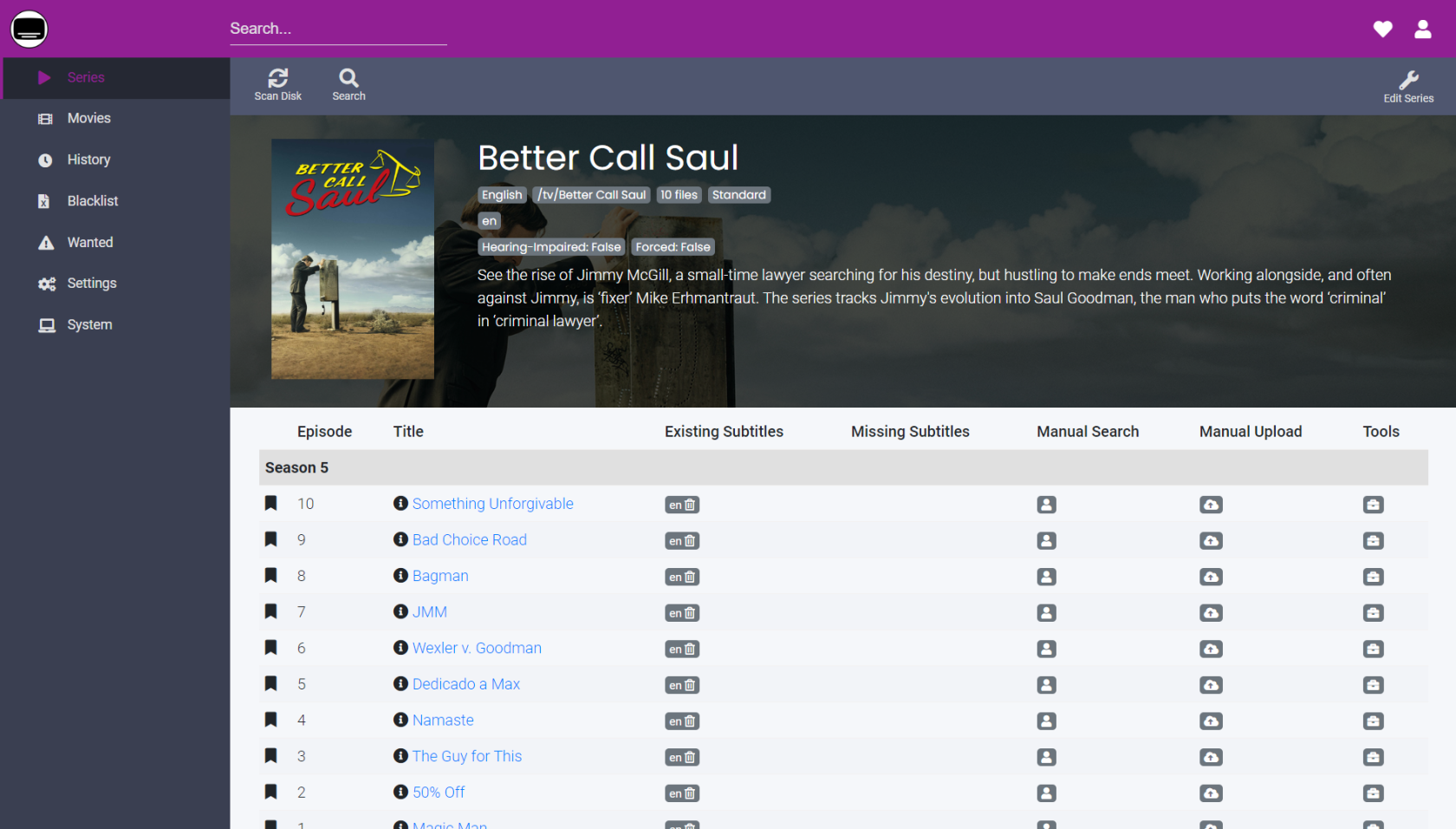
[**Bazarr**](https://www.bazarr.media/) is a companion application to Sonarr and Radarr. It manages and downloads subtitles based on your requirements. You define your preferences by TV show or movie and Bazarr takes care of everything for you.

<p class="callout warning">Be aware that Bazarr doesn't scan disk to detect series and movies: It only takes care of the series and movies that are indexed in Sonarr and Radarr.</p>

[![bazarr-screenshot-115769544.png](https://bookstack.timshome.net/uploads/images/gallery/2023-03/scaled-1680-/pYE09NZoRA8e4Flj-bazarr-screenshot-115769544.png)](https://bookstack.timshome.net/uploads/images/gallery/2023-03/pYE09NZoRA8e4Flj-bazarr-screenshot-115769544.png)

---

#### Installation

There are several platforms on which you can install Bazarr. This install is focused on the docker container method of installation since that is my primary way to handle most server applications.

If you do not want to install via a container, the other installation methods for Bazarr can be found on the **[official Bazarr wiki](https://wiki.bazarr.media/)**.

##### Running Bazarr as a container

Basic examples for getting this image running as a container. The image I am using here is maintained by [**linuxserver.io**](https://fleet.linuxserver.io/image?name=linuxserver/bazarr)

<p class="callout warning">**You CANNOT store your config directory over an NFS share as it is unsupported by SQLITE.** You will receive a locked database error.</p>

##### Docker Compose

```yaml
---
version: "2"
services:
  bazarr:
    image: linuxserver/bazarr:1.2.0
    container_name: bazarr
    restart: unless-stopped
    environment:
      - UMASK_SET # Control permissions of files and directories created by Bazarr
      - TZ # Specify a timezone to use EG Europe/London.
      - PUID # ID of user to take ownership of application/files
      - PGID # GID of user to take ownership of application/files
    volumes:
      - /host/path/to/tv:/tv # Location of your TV Shows
      - /host/path/to/movies:/movies # Location of your movies
      - /host/path/to/config:/config # Bazarr data
    ports:
      - 6767:6767/tcp # Allows HTTP access to the internal webserver.

```

##### CLI

```python
docker create \
  --name=bazarr \
  -e UMASK_SET `# Control permissions of files and directories created by Bazarr` \
  -e TZ `# Specify a timezone to use EG Europe/London.` \
  -e PUID `# ID of user to take ownership of application/files` \
  -e PGID `# GID of user to take ownership of application/files` \
  -v /host/path/to/tv:/tv `# Location of your TV Shows` \
  -v /host/path/to/movies:/movies `# Location of your movies` \
  -v /host/path/to/config:/config `# Bazarr data` \
  -p 6767:6767/tcp `# Allows HTTP access to the internal webserver.` \
  --restart unless-stopped \
  linuxserver/bazarr:1.2.0
```

# Plex

![plexbanner.jpeg](https://bookstack.timshome.net/uploads/images/gallery/2023-03/scaled-1680-/0St3gCdwW8orhmlJ-plexbanner.jpeg)

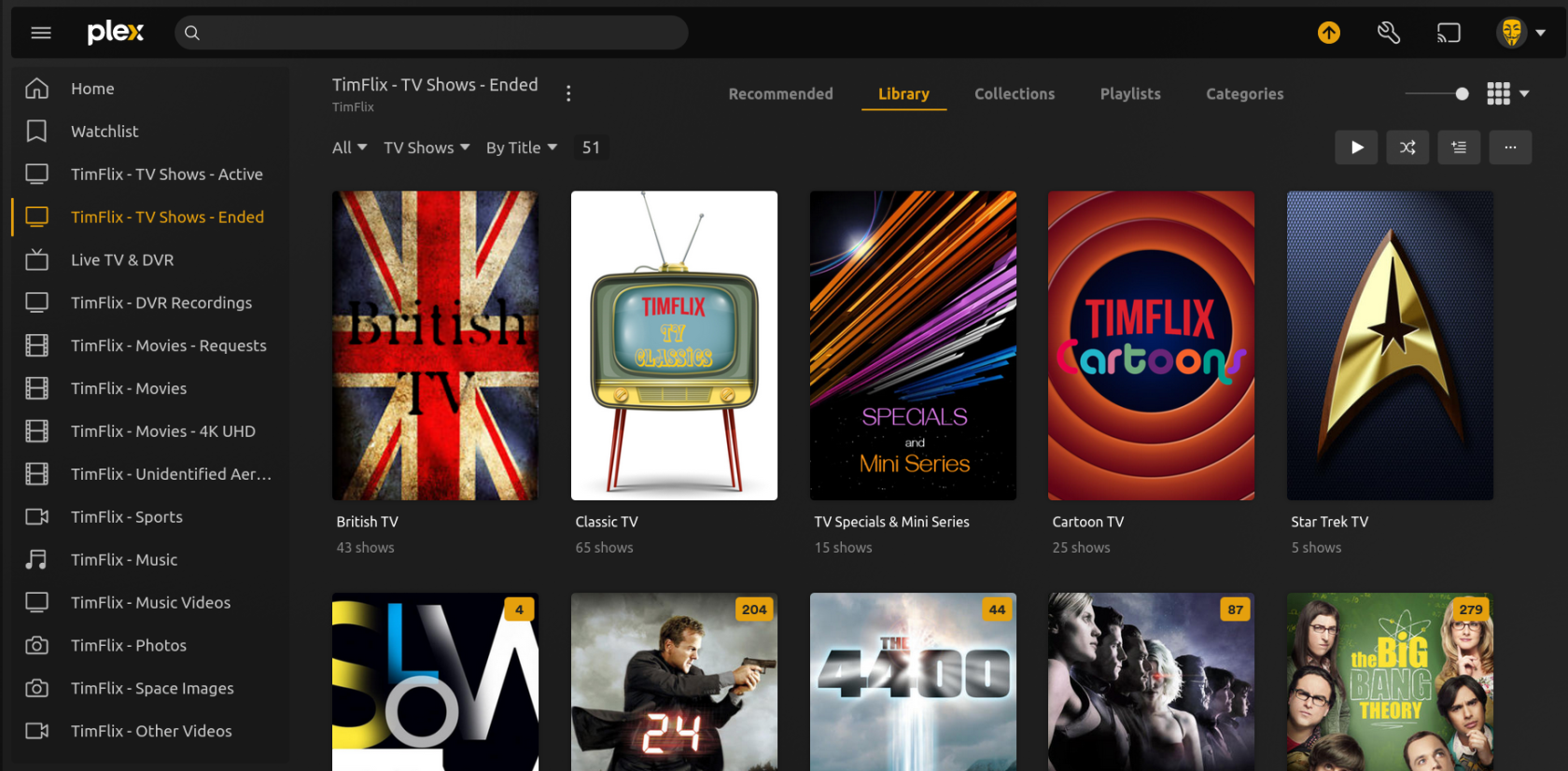
[**Plex**](https://www.plex.tv) orginally was a Media Server that made it possible to stream your personal media remotely. While it still provides that service, it has evolved, for better or worse, into a streaming platform of its own. Something akin to NetFlix or Hulu with native ad supported offerings.

If you have a collection of media, Plex enables you to stream all that stuff from a computer or server onto your TV or smartphone. And while you can use Plex for free, a lot of its best features, especially media server related features, require a paid subscription to Plex Pass.
![Screenshot from 2023-03-30 02-17-45.png](https://bookstack.timshome.net/uploads/images/gallery/2023-03/scaled-1680-/6E4GmNfjpH25PLaQ-screenshot-from-2023-03-30-02-17-45.png)

> On a personal note, I don't really like "sharing" my media server user interface (UI) with content from another source, even if it is Plex itself. Granted Plex as a media server is excellent, but there are a number of issues starting to pile up since they decided to become a streaming platform themselves.

There are a number of pros and cons for Plex as it is today. Here is my list:

<table id="bkmrk-plex-pros-plex-cons-" style="border-collapse:collapse;width:100%;"><colgroup><col style="width:50%;"></col><col style="width:50%;"></col></colgroup><tbody><tr style="background-color:rgb(230,126,35);"><td class="align-center"><span style="color:rgb(52,73,94);">**Plex Pros**</span>  
</td><td class="align-center"><span style="color:rgb(52,73,94);">**Plex Cons**</span>  
</td></tr><tr><td>Supports a wide variety of server and client platforms and devices.  
</td><td>Extremely limited UI customization. User interfaces can vary greatly from one platform to another.  
</td></tr><tr><td>Hardware transcoding is excellent  
</td><td>Limited ability to access your media locally from your Plex server if your Internet is down. This is due to Plex's cloud authentication. You have to be able to sign-in to Plex via the Internet to access your <span style="text-decoration:underline;">local</span> server.

DLNA is Plex's solution to this, but it is a horrible experience as you must rely upon 3rd party client side DLNA apps. Roku's DLNA client sucks, for example.

</td></tr><tr><td>Efficient use and decent monitoring of device resources  
</td><td>No support for eBooks or audio books  
</td></tr><tr><td>Loads of community support  
</td><td>Most of the popular media server specific features, such as hardware transcoding, downloads, mobile sync, DVR recording, music lyrics, skipping intros and credits, custom sharing restrictions and bandwidth and transcoding limits require a paid subscription or a lifetime membership.  
</td></tr><tr><td>Supports Live TV and DVR options (we are talking locally, not Plex's own offerings)  
</td><td>Android and IOS mobile apps require a fee

</td></tr><tr><td>Very good database management and backup options  
</td><td>No ability to grant friends access to your local Live TV unless you make them part of your Home account (which lists them with your home users every time you login)  
</td></tr><tr><td>Regular updates and patches  
</td><td>User management is a pain. Used to be able to go to an intuitive user menu and make changes to any user, friend or home user. Now you have to go to two menus, Plex Home &amp; Manage Library Access to manage users.

You used to see your users full email address as their username on your server. Now it is some truncated semi-readable name. You have no ability to change the name of your user's accounts to something human friendly.

If you use Tautulli you can change those truncated email/usernames there, but it won't show up in Plex that way.

</td></tr><tr><td>  
</td><td>New libraries on your Plex server show up at the bottom of your user's menus. Requiring them to re-pin and change the order of their menus anytime there's a library addition or change.

For example, if I add a new library (or change the name of an existing library) to my Plex server and grant users access to it, they won't necessarily see it without pinning it to their menu (which means they probably won't ever know it's there).

If they do know about it and go looking for it; it will be at the bottom of the list instead of where it ought to be (with the other libraries from my server).

</td></tr></tbody></table>

> After paying for a Plex Pass lifetime subscription years ago, I find I don't really care for the direction Plex has taken. With little or no say in how my media server is used by Plex, I am actively seeking a replacement. So far, [**JellyFin**](https://jellyfin.org/) is in the lead as a replacement for Plex.

With that said, if you want an alternative or supplemental streaming service, Plex has an attractive list of free offerings. However, if you want a Home Theater media server or a media server you can completely control and share your libraries with friends and family, you may want to look elsewhere.

---

#### Installation

You can find all the installation instructions and downloads for Plex here:

[**Plex Downloads**](https://www.plex.tv/media-server-downloads/)

[**Plex Official Docker Installation**](https://github.com/plexinc/pms-docker)

[**Plex Media Server Installation Guide**](https://support.plex.tv/articles/categories/plex-media-server/installation-and-basic-setup/)

# Jellyfin

![th-3483303953.jpeg](https://bookstack.timshome.net/uploads/images/gallery/2023-03/scaled-1680-/2hSQlqw5ZxxDLAQQ-th-3483303953.jpeg)

[**Jellyfin**](https://jellyfin.org/) is the volunteer-built media solution that puts *you* in control of your media. Stream to any device from your own server, with no strings attached. Your media, your server, your way.

Jellyfin enables you to collect, manage, and stream your media. Run the Jellyfin server on your system and gain access to the leading free-software entertainment system, bells *and* whistles included.

[![Screenshot from 2023-03-30 02-34-36.png](https://bookstack.timshome.net/uploads/images/gallery/2023-03/scaled-1680-/K6CoES3FA6fOs2G1-screenshot-from-2023-03-30-02-34-36.png)](https://bookstack.timshome.net/uploads/images/gallery/2023-03/K6CoES3FA6fOs2G1-screenshot-from-2023-03-30-02-34-36.png)

Jellyfin is the "new kid on the block" as it is the newest in a long line of free and open source media servers.

Jellyfin's predecessors have either become defunct, lost popular support or upon becoming successful switched to a "pay" platform (I'm specifically thinking of Emby for that last one).

> I am hoping Jellyfin becomes the Ubuntu of the media server world.

While it still has a way to go for me to cut the Plex cord, it has made great strides in the past couple of years. Thanks to a growing skilled community of supporters who believe you can have a great self hosted and self controlled free and open source media server at home.

There are a number of features and issues Jellyfin needs to implement and correct to become the best competition to the likes of Plex and Emby.

In no particular order; here are my thoughts on the most important features (to me) of Jellyfin:

- Client ubiquity 👍 
    - Jellyfin already has clients for Android &amp; IOS smartphones and tablets, as well as, Amazon fire TV, Apple TV, Android TV, LG WebOS, and Roku. These clients vary on their polish and utility. I expect these will improve over time.
- Server statistics 👎 
    - Jellyfin, thus far, is lacking in any sort of server statistics which are useful to server operators. Something like Tautulli integrated into the server itself would be a positive differentiating factor versus other media servers.
- Hardware Transcoding 👌 
    - While Jellyfin does OK hardware transcoding, it is very difficult to find a stable configuration. I would like to see a better default config that is stable "out of the box" without much tweaking. For the most frequently used hardware, like Nvidia for example. Similar to activating hardware transcoding in Plex.
- Metadata 👍 
    - Jellyfin's handling of metadata and images is excellent. I quite like being able to store the images with my media. Unlike Plex, who stores the images as random string filenames seperately from the media.
    - I particularly like the metadata storage as NFO files with the media, for ease of access and so the server doesn't have to scrape the data from the Internet every time unless I tell it to.
- Live TV &amp; EPG 👎 
    - So far I haven't been impressed with Jellyfin's Live TV implementation. I have experienced multiple issues with playback from a HD Homerun. Playback from the same device on Plex is flawless and "just works".
    - I'm torn as to how I feel about Jellyfin's EPG handling. I understand that guide data can be a pain and to get it free you need to overcome some obstacles, but there has got to be a better, less complicated solution to get free guide data into Jellyfin. Rather than 3rd party zap2it and cron, how about a plug-in that does it for you? Since I'm not a programmer I really don't know what would have to be done to make that happen, I'm just saying 😉